Home Everyday Science How Does a Camera Capture and Record Images?

How Does a Camera Capture and Record Images?

How Does a Camera Capture and Record Images?

Table of Contents

Introduction

Cameras are now a necessary part of our daily lives, whether we’re taking pictures with our smartphones, making videos for social media, keeping an eye on home security, or doing scientific photography. 

Digital cameras, DSLR and mirrorless cameras, surveillance cameras, disposable film cameras, body-worn cameras, and laptop webcams all work on the same basic idea: they capture light and turn it into a picture that you can see.

Understanding how a camera captures and records images can help you use your device more effectively, fix problems, and get better pictures and videos. 
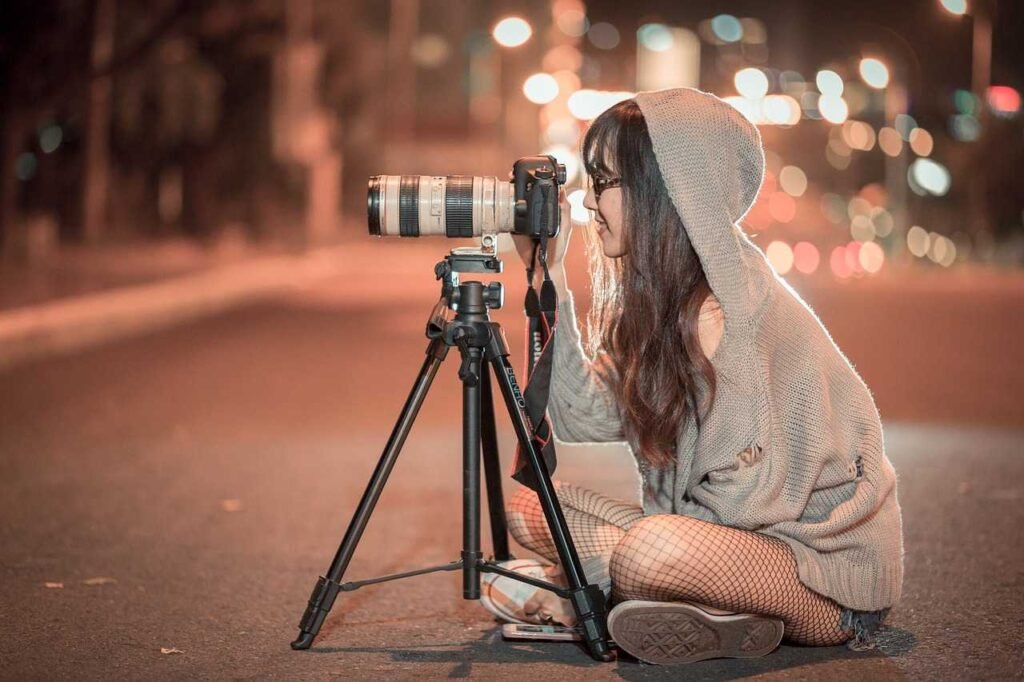
How Does a Camera Capture and Record Images

This guide makes the science and technology behind camera imaging easier to understand for beginners, tech lovers, and people who are just curious. You’ll learn how a camera works, how pictures are stored, and how to use different types of cameras in everyday situations, like making content and keeping an eye on security.

What Is a Camera?

Basic Concept of Camera

A camera is an optical tool that uses light to make a picture. The lens lets light in, which then goes through lens, passes through an aperture, and reaches a sensor (digital cameras) or film (analog cameras). The sensor changes light into electrical signals, which are then used to make pictures or videos.

History of Cameras and When They Were Invented

  • The first camera-like device, the camera obscura, was described as early as the 11th century by Alhazen (Ibn al-Haytham) .
  • Joseph Nicéphore Niépce captured the world’s first photograph in the 1820s 
  • George Eastman invented the Kodak camera in 1888, making photography accessible to everyone .
MilestoneYearDescription
First Pin Hole ConceptAncient TimesUsed for early optical experiments
First Practical CameraEarly 19th CenturyFilm-based large box cameras
Kodak Consumer Camera1888First widely available snapshot camera
Video Cameras20th CenturyUsed in filmmaking and broadcasting
Digital CamerasLate 20th CenturySensor-based, no film required
Smart Camera Surveillance21st CenturyIntegrated with internet networks

Security cameras became more common in public spaces from the mid-1900s and are now widely used in private and commercial security systems.


Types of Cameras 

Understanding the many camera types helps you choose the best one for your needs.

  • DSLR (Digital Single-Lens Reflex) camera: Uses a mirror mechanism to reflect the image into a viewfinder. Great for serious photography due to manual controls and interchangeable lenses.
  • Mirrorless camera: No mirror mechanism; images are previewed on an electronic screen. Lighter and sometimes more compact than DSLRs, with equally excellent image quality.
  • Rangefinder camera: Focuses using a range-finding mechanism. Historically popular for street and reportage photography.
  • GoPro and Action Cameras: Small, rugged, and designed for extreme activities—think skating or biking.
  • IP (Internet Protocol) cameras: Used for security, stream video via networks.
  • Disposable cameras: Single-use, film-based; popular at events for quick snapshots.

What are the basic components of Camera ?

The basic components of camera system is like : Lens, Sensor, Shutter , Image Processor etc.
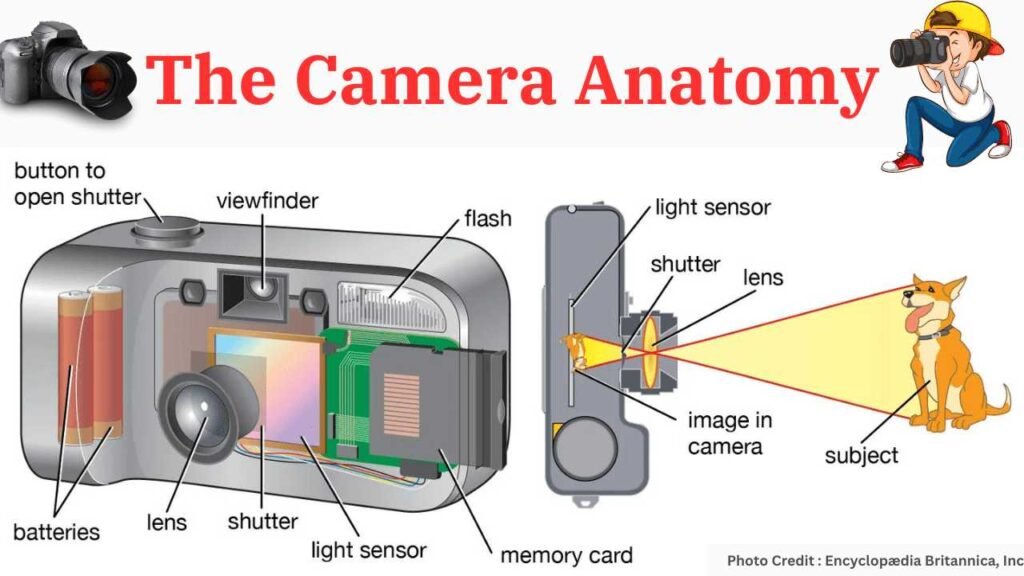
Camera Components
Image Credit : Encyclopedia Britannica | Britannica
  1. Lens

    The lens is the eye of the camera. It focuses light onto the sensor, determining the clarity, depth of field, and overall quality of the image. Different lenses offer varying perspectives, from wide-angle to telephoto.

  2. Sensor

    The sensor is the heart of the camera. It converts incoming light into electrical signals, creating a digital representation of the scene. Sensors come in various sizes and types, affecting image quality and sensitivity to light.

  3. Shutter

    The shutter controls the duration of light exposure. When you press the shutter button, it opens briefly, allowing light to hit the sensor. The length of exposure determines how much light reaches the sensor, affecting brightness and motion blur.

  4. Image Processor

    The image processor transforms raw sensor data into a usable image. It handles tasks like noise reduction, color correction, and compression. Modern processors play a crucial role in enhancing image quality.

How Camera Capture Images ?

Lets understand how does a camera capture and record images :
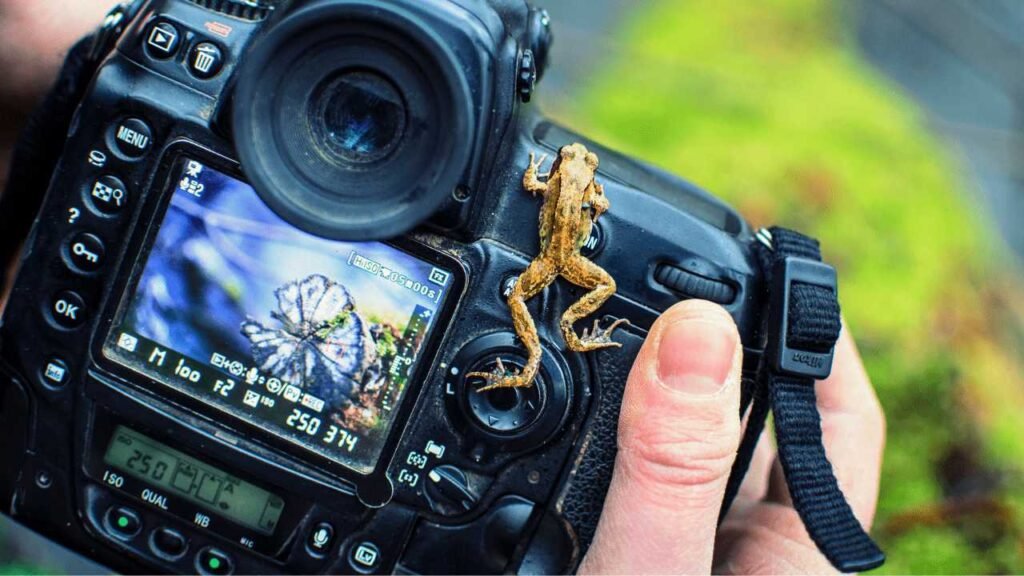
How Does a Camera Capture and Record Images

  1. Light Gathering

    The lens collects and focuses light onto the sensor. Its aperture (the opening) controls the amount of light entering the camera.

  2. Sensor Activation

    The sensor converts light into electrical signals (pixels). Each pixel records the intensity of light hitting it.

  3. Exposure Control

    The shutter regulates light exposure. Longer exposures capture more light (useful for low-light conditions), while shorter ones freeze motion.

  4. Image Processing

    After exposure, the image processor refines the raw data. It adjusts colors, sharpness, and contrast, resulting in the final image.

Camera Features and Specifications You Should Know

  • Megapixels: Indicates image resolution. While a 16-megapixel camera gives clear photos, image quality also depends on the sensor.
  • ISO: Controls the camera’s sensitivity to light. Higher ISO helps in low-light but may introduce noise.
  • OIS (Optical Image Stabilization): Reduces blur from shaky hands.
  • Telephoto camera: Offers optical zoom, allowing close-ups without loss of quality.

What are the Recording Mechanisms of Camera?

  1. Digital Cameras

    Digital cameras store images electronically. They use memory cards or internal storage. Digital technology allows instant review, editing, and sharing.

  2. Film Cameras

    Film cameras capture images on light-sensitive film. The film must be developed and printed to view the photographs. Film photography has a unique charm and aesthetic.


Image Storage and Retrieval Process of Camera
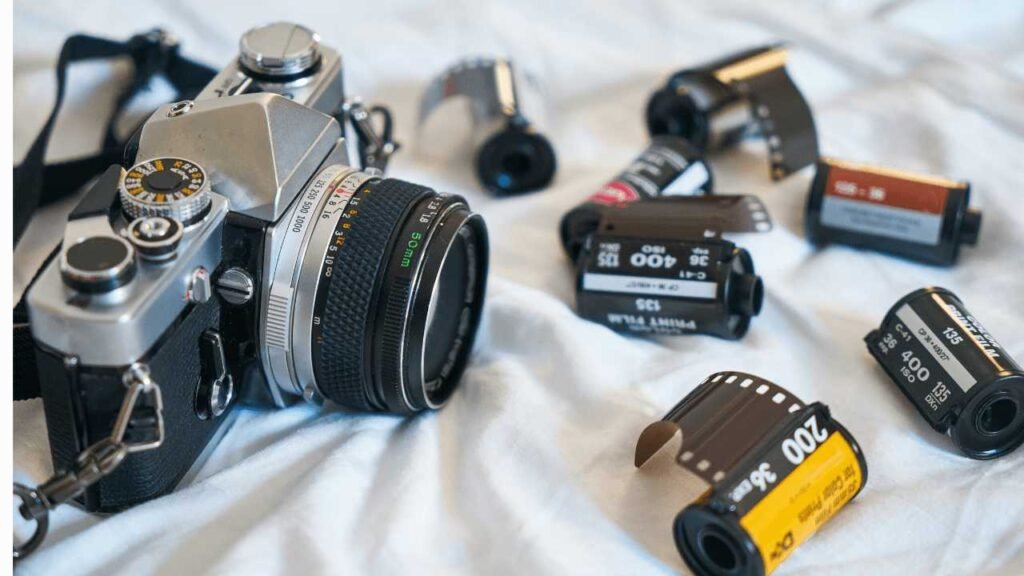
How Does a Camera Capture and Record Images

  1. Digital Storage
    Images are stored on memory cards (SD, CF, etc.) or internal memory. These cards can hold thousands of photos. Retrieving images involves connecting the camera to a computer or using Wi-Fi transfer.
  2. Retrieval and Viewing
    Images can be viewed on the camera’s LCD screen or transferred to other devices (computers, smartphones, tablets). Editing software allows further enhancements.

Smartphone Cameras: Trends and Innovations

  • Which phone has the best camera?

    Top choices often include the latest iPhone, Samsung Galaxy, and Google Pixel models .

  • Why do companies copy iPhone camera lenses?

    Many brands replicate Apple’s multi-lens designs, aiming for premium image quality and zoom.

  • How does iPhone camera grid work?

    The grid helps align subjects, making composition easier. Enable it under camera settings.


Security, Surveillance, and Hidden Cameras

  • When were security cameras invented?
    The first CCTV system was installed in Germany in 1942 for rocket observation. Security cameras became common in the 1970s .
  • How to detect hidden cameras?
    • Look for unusual objects in hotel rooms (smoke detectors, alarm clocks).
    • Use your mobile flashlight: Lenses may reflect light.
    • Use mobile apps to scan for infrared signals or connected devices.
    • Look for unusual small holes or reflective surfaces.
    • Scan for tiny blinking LEDs in dark rooms.
    • Use a RF (radio frequency) detector to scan wireless signals.
    • Check for unexpected Wi-Fi devices on the network.

Hotels, dressing rooms, vacation rentals, and restrooms should always respect privacy laws.


Troubleshooting: Common Camera Problems and Solutions

  • Why is my camera black/not working?
    • App permission issue: Enable camera access in settings.
    • Hardware cover or protective case is blocking lens.
    • Restart the device or check for software updates.
  • How to reset Blink/Beiou/Ring security cameras?
    • Typically, press and hold the reset button for 10-20 seconds.
    • Reconnect to WiFi following app prompts .
  • Why is my Blink camera flashing red?

    Usually a low battery or connection issue.

  • Can’t access the camera in some apps (e.g., DoorDash, Snapchat)?

    Allow permission for the app to use the camera via device settings.


Developing, Cleaning, and Maintaining Cameras

  • How to clean a camera lens?
    • Use a microfiber cloth, blower, or lens-cleaning solution.
    • Avoid using tissues or clothing which may scratch the surface.
  • Where to develop disposable cameras or their film?
    • Many photo stores, drugstores (like Walgreens), and online services offer film development.
  • How to open or take apart cameras (e.g., Sony A5100) for repairs?
    • Only attempt if experienced; otherwise, visit a service center.

Solving Common Camera Problems

ProblemPossible CauseSolution
Camera screen appears blackCover on lens, app permissions missing, or software crashEnable camera permission, restart device, clean lens
Camera not connecting to video appsPrivacy settings blocking accessManually allow permissions in system settings
Camera flash red or status light blinkingDevice pairing or network issueReset network and pair again
Unable to record soundSilent shutter or region restrictionsDisable shutter sound in settings (where legally permitted)
Camera image appears distortedDirty lens or low lightClean lens and increase lighting
Computer using wrong camera/micSystem default device mis-setSelect correct device in settings menu

Conclusion

Cameras, whether they’re in our hands, homes, or pockets, help us remember things, make us feel safer, and bring out our creative side. Everyone, from students and teachers to tech lovers and families, can benefit from knowing “How Does a Camera Capture and Record Images“, where they came from, and how to fix common problems.

Frequently Asked Questions (FAQs)

This FAQ section is designed to provide quick and clear answers to the most common inquiries we receive. We encourage you to click on a question to find the information you need. If you can’t find an answer here, please don’t hesitate to visit our Contact Us page for further assistance.

Which phone has the best camera?

Top choices often include the latest iPhone, Samsung Galaxy, and Google Pixel models .

The first CCTV system was installed in Germany in 1942 for rocket observation. Security cameras became common in the 1970s .

  • Use a microfiber cloth, blower, or lens-cleaning solution.
  • Avoid using tissues or clothing which may scratch the surface.

Many photo stores, drugstores (like Walgreens), and online services offer film development.

The first “true” photograph was made in the 1820s. The box camera design (Kodak) arrived in 1888.

No single person. Key figures include Joseph Nicéphore Niépce, Louis Daguerre, and George Eastman .

It’s a visual movement effect used in games to simulate natural walking.

Online retailers, photography stores, supermarkets, and convenience shops.

Go to device Settings → Privacy → Camera and enable access.

A network-connected monitoring camera system used for neighborhood or vehicle tracking security.

Use built-in video conference blur options or third-party visual background filters.

To spot spy cameras, start by carefully scanning your environment for unusual objects or signs of tampering, especially in private areas like bedrooms,

Having any queries? – Do reach us at info@scivoyage.com

Leave a Comment

Your email address will not be published. Required fields are marked *

Scroll to Top